-
-
1
- Notifications
-
New Enquiry Uploaded
1 New Enquiry Uploaded From Huzhou Haipu Chemical Ltd06 Feb 2026, 07:36 AM
- View All Notifications
-
-
Hello,
Menu

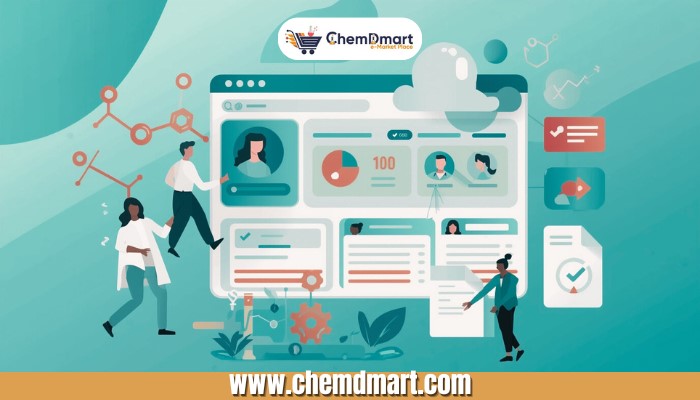
If your goal is to sell bulk chemicals online, you must know that this has changed dramatically in the last few years. The buyers who once relied on trade shows, phone calls, and slow email chains are now searching online, and they expect suppliers to be there too.
For chemical manufacturers, distributors, and traders, shifting your business online is no longer optional. It’s the quickest way to increase visibility, attract global buyers, reduce dependence on intermediaries, and build a more reliable sales pipeline.
But the biggest barrier for most suppliers is not the why — it’s the how. Many believe going digital requires technical skills, complex on-boarding, or expensive tools. The truth is far simpler: with the right B2B marketplace, listing and selling your chemicals online is easy, structured, and fast.
In the next sections, you’ll get a simple, step-by-step guide to listing your products online, building your profile, uploading essential documents, and presenting yourself as a trusted supplier to thousands of global chemical buyers.
Getting your chemical products in front of global buyers doesn’t need to be complicated. With ChemDmart, listing your products is fast, structured, and beginner-friendly. Just follow these simple steps:
Start by signing in to your ChemDmart supplier account.
(If you’re new, create an account — it takes only a few minutes.)
Once logged in, head to your main dashboard. This is your control center for everything — products, documents, company details, and more.

This is where your product listing journey begins. Click List Business, then select Add Business.

Enter basic information such as:
This ensures buyers know who they’re dealing with.


Here’s where you showcase exactly what you sell. Add:
The more accurate and detailed this section is, the easier it is for buyers to find and trust your product.
Once all details are added, simply hit Submit.
That’s it, your product is now visible to global chemical buyers browsing ChemDmart. They now know what you sell, but to convince them why they should buy from you, the next step is to build a strong company profile.
Listing your products is the first step, but buyers also want to know who they’re purchasing from. A strong company profile on ChemDmart helps you build trust, credibility, and long-term business relationships.

On your dashboard, look at the left sidebar and click Company Profile.

This opens the section where you can create your official business profile.

Fill in important information such as:
Adding these details helps buyers understand your legitimacy and business strength.
A complete company profile:
Once buyers know who you are, the next step is to give them solid proof of your product quality, through proper documentation.
Once your products and company profile are live, it’s time to show buyers that you’re not just “saying” you offer quality, you can prove it. Uploading documents like COA, MSDS, and Specification Sheets builds instant trust and boosts your chances of getting qualified inquiries.

From your dashboard, click on Company Product Doc to access the documentation section.

This is where you upload all technical and compliance documents related to each product.

Add files such as:
Be sure to upload the most recent and batch-relevant versions of each document.
Uploading proper documents:
With your listings, company profile, and product documents in place, you’re fully ready to attract serious buyers and scale your chemical business online.
Selling bulk chemicals online doesn’t have to be confusing or complicated. With the right platform and a clear step-by-step approach, any supplier can reach a global audience, build credibility, and close more high-quality deals. ChemDmart makes the entire process simple, from listing your products to showcasing your company profile to uploading critical documents that prove your quality.
By following the steps in this guide, you’re not just putting your products online — you’re creating a professional, trustworthy presence that buyers can rely on. A complete listing, a strong company profile, and transparent documentation are exactly what modern chemical buyers look for.
Take these steps, stay consistent, and you’ll be well on your way to growing your digital footprint and winning more bulk chemical orders online.